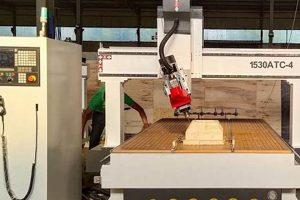
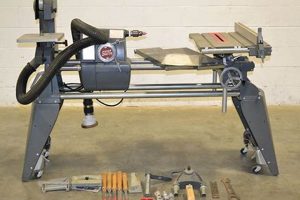
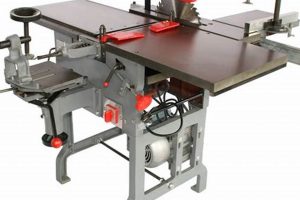
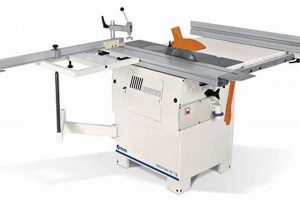
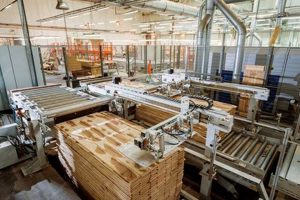
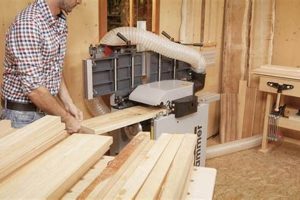
Devices utilized for automated carving, cutting, and shaping of wood products within a compact footprint, these tools bring the precision and repeatability of Computer Numerical Control (CNC) technology to smaller workshops and hobbyist environments. An example is a desktop-sized unit capable of creating intricate inlays or personalized wooden signs.
These automated systems offer several advantages, including enhanced accuracy compared to manual woodworking, the ability to produce complex designs, and increased efficiency for repetitive tasks. Historically, CNC technology was limited to large-scale industrial applications; however, advancements in electronics and manufacturing have made smaller, more affordable units accessible to a wider audience, including small business owners and hobbyists.
The following sections will explore the key features, applications, considerations, and future trends associated with these versatile tools for automated wood processing.
Essential Usage Guidelines
Adhering to best practices ensures optimal performance, safety, and longevity for these computer-controlled wood processing units.
Tip 1: Material Selection: Employ appropriate wood types based on the machine’s capabilities and the project’s requirements. Softer woods like pine are easier to machine but may lack the durability of hardwoods like oak. Matching the material to the intended use is crucial.
Tip 2: Toolpath Optimization: Careful design of the cutting path minimizes material waste and reduces machining time. Consider factors such as climb vs. conventional milling and the direction of the wood grain to achieve a clean finish.
Tip 3: Secure Workholding: Ensure the workpiece is firmly secured to the machine bed to prevent movement or vibration during the cutting process. Appropriate clamping methods and fixturing are necessary for accuracy and safety.
Tip 4: Regular Maintenance: Implementing a routine maintenance schedule extends the machine’s lifespan and maintains its precision. Tasks include cleaning the machine bed, lubricating moving parts, and inspecting belts or screws for wear.
Tip 5: Software Proficiency: A thorough understanding of the associated CAD/CAM software is essential for creating accurate toolpaths and controlling the machine’s operation. Invest time in learning the software’s features and capabilities.
Tip 6: Dust Collection: Employ a dedicated dust collection system to remove wood chips and dust generated during the cutting process. This improves visibility, reduces cleanup, and minimizes the risk of respiratory issues.
Tip 7: Feed Rate and Spindle Speed Calibration: Precise adjustment of feed rates and spindle speeds is vital for achieving optimal cutting performance and extending tool life. These parameters should be calibrated based on the material, tool type, and desired finish.
By following these guidelines, users can maximize the potential and realize the benefits of computer-controlled wood processing.
The following sections will explore the future trends shaping computer-controlled wood processing technology.
1. Precision

Precision is paramount in the realm of computer-controlled woodworking, defining the accuracy and detail achievable in the final product. The inherent value of these machines lies in their ability to execute intricate designs with a degree of accuracy that far surpasses manual methods. Several facets contribute to the overall precision of these systems.
- Machine Calibration and Rigidity
Proper calibration ensures the machine’s movements align with the programmed instructions. Rigidity minimizes vibration and deflection during cutting, which directly affects the accuracy of the final product. For example, a poorly calibrated unit might produce misaligned joints or inaccurate dimensions, while a lack of rigidity can lead to chatter and a rough surface finish.
- Cutting Tool Selection and Condition
The type and condition of the cutting tool significantly impact precision. Sharp, well-maintained tools are essential for clean cuts and accurate dimensions. Using the correct bit for the material and application is critical. A dull or inappropriate bit can cause splintering, tear-out, or dimensional inaccuracies.
- Software and Toolpath Generation
The quality of the CAD/CAM software and the toolpaths it generates determine the efficiency and accuracy of the cutting process. Optimized toolpaths minimize unnecessary movements and ensure smooth, precise cuts. Poorly generated toolpaths can lead to excessive material removal, inefficient cutting times, and inaccuracies in the final product.
- Material Properties and Workholding
The characteristics of the wood itself, such as grain direction and density, affect the cutting process. Secure workholding is crucial to prevent movement or vibration during cutting, ensuring consistent results. Inadequate workholding can result in dimensional errors and surface imperfections. Different wood types require adjustments in cutting parameters to maintain precision.
These facets collectively illustrate the importance of precision in computer-controlled woodworking. By addressing each aspect, users can maximize the potential of these machines to produce high-quality, accurate, and aesthetically pleasing wood products. The ability to repeatedly produce parts to tight tolerances is a key advantage over traditional woodworking methods.
2. Scalability

Scalability, in the context of computer-controlled woodworking, pertains to the adaptability of these systems to handle varying project sizes, production volumes, and evolving business demands. While smaller units offer an accessible entry point, their limitations in terms of work area and processing power directly influence the scale of projects that can be undertaken. The initial investment is lower, but the capacity for expansion is constrained.
The level of scalability impacts both hobbyist and professional woodworking applications. For instance, a hobbyist might initially use a compact unit for crafting small decorative items. However, as their skills and project ambitions grow, the machine’s limited work envelope becomes a constraint. Similarly, a small business utilizing computer-controlled woodworking for producing customized furniture components may find that the throughput capacity of a small machine hinders their ability to fulfill larger orders or adapt to increased market demand. Therefore, assessment of future scalability needs is a critical element in the selection of the appropriate equipment.
In summary, understanding the limitations and potential for scalability associated with computer-controlled woodworking tools is essential for optimizing resource allocation and ensuring long-term viability. Careful consideration of current needs, anticipated growth, and the machine’s inherent capabilities are crucial for maximizing return on investment and facilitating sustainable business development.
3. Material Compatibility
The selection of materials for use with computer-controlled woodworking devices is a critical factor influencing both the quality of the final product and the lifespan of the machine itself. Incompatible materials can cause premature wear on cutting tools, reduce precision, or even damage the machine. A direct correlation exists between the material being processed and the parameters required for effective machining. For example, hardwoods, such as maple or oak, require slower feed rates and higher spindle speeds compared to softwoods like pine. Failure to adjust these parameters can result in splintering, burning, or inaccurate cuts. The use of inappropriate materials introduces stresses that the machines are not designed to handle, affecting long-term performance.
Consider a scenario where a user attempts to machine a dense, resinous wood without selecting the appropriate cutting tool or adjusting the feed rate. The resulting friction can overheat the tool, leading to premature dulling or breakage. Furthermore, the excessive force exerted on the machine’s components may cause misalignment or damage to the spindle. Similarly, attempting to process materials containing abrasive elements, such as certain types of reclaimed wood, can rapidly degrade the cutting edges and necessitate frequent tool replacements. This can negatively impact on the cost and efficiency of the woodworking process.
In conclusion, material compatibility represents a crucial aspect of computer-controlled woodworking. Careful selection of materials and adherence to recommended machining parameters is essential for achieving optimal results and maintaining the longevity of the equipment. A thorough understanding of material properties and their interaction with the machine’s capabilities is paramount for successful and sustainable woodworking operations.
4. Software Integration

The functionality of computer-controlled woodworking devices is inextricably linked to its software integration capabilities. These machines are not standalone units, but rather components within a larger digital workflow. The software serves as the bridge between design concepts and physical realization, dictating the machine’s movements and actions. Effective software integration is crucial for translating digital designs into precise cutting instructions, influencing the accuracy, efficiency, and overall quality of the finished product. An incompatibility or deficiency in software integration immediately curtails machine potential, regardless of its physical attributes.
Practical applications demonstrate the direct impact of software integration. Consider a scenario where a design is created using CAD (Computer-Aided Design) software. The seamless transfer of this design to CAM (Computer-Aided Manufacturing) software is essential for generating the toolpaths that guide the cutting tool. Inadequate integration leads to errors in translation, resulting in inaccurate cuts or inefficient machining processes. Furthermore, advanced features such as 3D simulation and collision detection, available within integrated software packages, enable users to identify and rectify potential issues before they arise, minimizing material waste and machine downtime. Real-world use indicates that businesses prioritizing seamless software integration achieve faster production cycles and higher-quality products.
In summary, software integration represents a pivotal element. Deficiencies compromise performance. Software bridges design and execution, directly impacting product quality and workflow efficiency. Overcoming integration challenges necessitates careful selection of compatible software and machines, along with thorough training and ongoing support. Investment in robust software integration is vital for businesses aiming to harness the full potential of computer-controlled woodworking technology.
5. Operational Safety

Operational safety is a critical consideration in the application of computer-controlled woodworking devices. These automated systems, while offering precision and efficiency, present potential hazards that necessitate strict adherence to safety protocols. Neglecting safety measures can lead to serious injury or equipment damage. Establishing and maintaining a safe working environment is paramount to the responsible use of these machines.
- Machine Enclosure and Interlocks
The presence of a complete enclosure significantly reduces the risk of projectiles escaping the work area. Interlock systems, which automatically halt machine operation when the enclosure is opened, provide an additional layer of protection. For example, should a cutting tool break during operation, the enclosure contains the debris, preventing injury to the operator. The interlock ensures the machine cannot be restarted until the enclosure is properly closed, preventing accidental contact with moving parts.
- Emergency Stop Mechanisms
Easily accessible emergency stop buttons are essential for immediately halting machine operation in the event of a malfunction or unsafe condition. The placement of these buttons should be strategically located around the machine to ensure quick access from any vantage point. A typical scenario would involve a workpiece becoming dislodged during cutting; the emergency stop button allows the operator to immediately stop the machine, preventing further damage to the machine, workpiece, or potential injury.
- Dust and Chip Extraction Systems
Computer-controlled woodworking generates significant quantities of airborne dust and wood chips, which pose both respiratory and fire hazards. Effective dust extraction systems are vital for maintaining a clean and safe working environment. Regular filter maintenance is crucial to ensure optimal performance. Without adequate extraction, airborne particles can lead to respiratory irritation or, in extreme cases, ignite due to static electricity generated by the machine’s operation.
- Personal Protective Equipment (PPE)
The use of appropriate PPE, including safety glasses, hearing protection, and dust masks, is mandatory during machine operation. Safety glasses protect against projectiles, hearing protection mitigates noise exposure, and dust masks prevent inhalation of harmful particles. Failure to wear PPE significantly increases the risk of injury or long-term health problems.
These facets collectively underscore the importance of operational safety in computer-controlled woodworking. Prioritizing safety measures not only protects the operator but also contributes to the longevity and efficiency of the equipment. A safe working environment fosters a culture of responsible machine operation, leading to improved outcomes and reduced risk.
Frequently Asked Questions About Small CNC Machines for Woodworking
The following section addresses common inquiries and misconceptions regarding the acquisition, operation, and application of compact Computer Numerical Control (CNC) machines within woodworking environments.
Question 1: What is the expected lifespan of a small CNC machine used for woodworking?
The operational lifespan varies significantly depending on usage intensity, maintenance practices, and the quality of the machine itself. With proper care and regular maintenance, a well-built unit can provide reliable service for several years. Neglecting maintenance or subjecting the machine to excessive loads will inevitably shorten its lifespan.
Question 2: What level of technical expertise is required to operate a small CNC woodworking machine?
While prior experience with CNC technology is beneficial, it is not strictly necessary. A basic understanding of computer-aided design (CAD) and computer-aided manufacturing (CAM) software is essential. Numerous online resources, tutorials, and training programs are available to assist new users in acquiring the necessary skills.
Question 3: What are the typical power requirements for a small CNC woodworking machine?
Power requirements vary depending on the size and features of the machine. Most smaller units operate on standard 120V or 220V power. However, larger machines with more powerful spindles may require dedicated circuits and higher amperage. Consult the machine’s specifications for accurate power requirements.
Question 4: What safety precautions must be observed when operating a CNC woodworking machine?
Strict adherence to safety protocols is imperative. These include wearing appropriate personal protective equipment (PPE), ensuring proper dust collection, and never operating the machine without the safety enclosure in place. Familiarization with the machine’s emergency stop mechanisms is also critical.
Question 5: What types of wood are best suited for use with small CNC machines?
A wide range of wood types can be processed, from softwoods like pine to hardwoods like maple. However, dense or highly resinous woods may require specialized cutting tools and slower feed rates. The machine’s capabilities and the project’s requirements should guide material selection.
Question 6: What are the key differences between a hobbyist-grade and a professional-grade small CNC woodworking machine?
Professional-grade machines typically feature more robust construction, higher precision, and greater power compared to hobbyist-grade units. They are designed for continuous use and offer enhanced features such as automatic tool changers and advanced control systems. The increased investment reflects the improved performance and durability.
In summary, responsible operation, adherence to safety protocols, and a clear understanding of machine capabilities are essential for maximizing the benefits of computer-controlled woodworking.
The following sections will explore the future trends shaping computer-controlled wood processing technology.
Conclusion
This exploration of small cnc machines for woodworking has highlighted key aspects including precision, scalability, material compatibility, software integration, and operational safety. Understanding these elements is critical for maximizing the utility and lifespan of these tools. Furthermore, adherence to best practices in usage and maintenance is crucial for achieving desired outcomes and mitigating potential risks.
The ongoing evolution of computer-controlled woodworking technology promises further advancements in efficiency, precision, and accessibility. Continued investment in training, safety measures, and software integration is essential for individuals and businesses seeking to leverage the potential of these transformative tools. Further research and development into advanced materials and techniques will continue to shape the future of small cnc machines for woodworking.