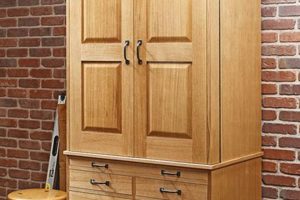
Computer-Aided Design tools intended for the creation of furniture, cabinetry, and other wooden objects allow for precise digital modeling prior to physical construction. These applications enable woodworkers to visualize designs, generate detailed plans, and optimize material usage. A common example involves utilizing such a program to create a three-dimensional rendering of a custom-built bookshelf, complete with joinery details and precise dimensions.
The use of these design platforms offers several advantages to woodworking professionals and hobbyists. They reduce errors by identifying potential design flaws before material is cut, improve efficiency through automated dimensioning and parts lists, and facilitate better communication with clients via realistic visualizations. Historically, woodworking relied heavily on manual drafting; the introduction of digital design systems has significantly streamlined the design and manufacturing process, enabling more complex and innovative projects.
The following sections will delve deeper into specific features offered by these digital design tools, exploring the considerations for selecting the appropriate software, and illustrating how these platforms integrate into a modern woodworking workflow.
Optimizing Woodworking Design Workflow
The effective utilization of digital design platforms can significantly enhance the woodworking process. Consider the following guidelines to maximize efficiency and accuracy.
Tip 1: Define Project Requirements Thoroughly: Before initiating the design process, clearly outline the project’s specifications, including dimensions, materials, and intended use. This upfront planning minimizes rework and ensures alignment with the client’s expectations.
Tip 2: Leverage Parametric Modeling: Employ parametric design features where applicable. This approach enables rapid adjustments to the model by modifying key parameters, such as overall dimensions or material thickness, without requiring manual redrawing.
Tip 3: Simulate Joinery: Utilize the software’s capabilities to model and test joinery methods digitally. This simulation identifies potential structural weaknesses or fitment issues prior to physical construction, preventing costly errors.
Tip 4: Generate Accurate Cut Lists: Employ automated cut list generation to minimize material waste and ensure precise cuts. Verify the generated cut list against the design to confirm accuracy.
Tip 5: Explore Rendering Capabilities: Utilize the software’s rendering features to create photorealistic visualizations of the finished product. These visualizations are invaluable for client presentations and design validation.
Tip 6: Integrate with CAM Software: If utilizing CNC machinery, ensure seamless integration between the chosen design platform and the CAM software. This integration streamlines the toolpath generation process and reduces the potential for errors in manufacturing.
Tip 7: Maintain a Consistent File Naming Convention: Implement a standardized file naming system to ensure easy retrieval and organization of project files. This practice becomes particularly important when managing multiple projects simultaneously.
Consistent application of these tips leads to more efficient design cycles, reduces material waste, and improves overall project quality.
The subsequent sections will examine the integration of these design platforms into modern woodworking education and training programs.
1. Precision

In woodworking, precision is paramount. Digital design tools play a critical role in achieving the accuracy required for successful projects, from initial design to final assembly. The ability to define and maintain exact measurements within the digital model directly translates to the accuracy of physical cuts and joinery.
- Dimensional Accuracy
Digital design platforms facilitate the creation of models with precise dimensional specifications. Instead of relying on manual measurements that are prone to human error, dimensions are entered numerically, ensuring consistency and accuracy throughout the design. For instance, a cabinet design can be specified with dimensions accurate to within a fraction of a millimeter, leading to tighter fitting joinery and a more professional finished product.
- Joinery Definition
The accurate modeling of joinery is essential for structural integrity and aesthetic appeal. These design tools allow for the precise definition of joinery types, such as mortise and tenon, dovetails, or rabbets. The software can automatically calculate the required dimensions and clearances for these joints, preventing errors that could compromise the strength and stability of the woodworking project. An example would be automatically calculating the dovetail angle and spacing for a drawer box.
- Material Thickness Considerations
The design process requires accounting for the precise thickness of materials. These applications enable the user to define material properties accurately, ensuring that these values are incorporated into the calculations. This is vital when constructing projects that rely on consistent material thicknesses to achieve the desired overall dimensions or alignment. Failure to account for slight variations in material thickness can result in misaligned parts and compromised aesthetics.
- Tolerance Management
While absolute precision is the goal, a competent design approach acknowledges the reality of manufacturing tolerances. Many platforms allow for the specification of tolerances within the design. This feature accounts for the inherent variability in material dimensions and machining processes. An example would be specifying a tolerance of +/- 0.1mm for a dado cut, allowing for slight variations while still maintaining a functional fit.
The capabilities of digital design tools provide a significant advantage in achieving and maintaining precision in woodworking projects. By mitigating the errors associated with manual methods and enabling detailed control over dimensions, joinery, and material properties, these design platforms empower woodworkers to create more accurate, robust, and visually appealing finished products.
2. Visualization

Visualization capabilities are integral to the effective application of computer-aided design tools in woodworking. The ability to generate realistic, three-dimensional representations of designs prior to physical construction allows for thorough assessment and refinement of form and function.
- Realistic Rendering
Photorealistic rendering engines within these design platforms allow for the creation of images that closely resemble the finished product. This feature enables evaluation of aesthetic properties, such as color combinations, wood grain direction, and lighting effects, before committing to physical construction. For example, a user can experiment with different stain colors on a virtual table model to determine the optimal finish without applying any actual stain.
- Exploded Views
These design tools facilitate the generation of exploded views, which display individual components of a design separated from their assembled position. Exploded views are beneficial for understanding the assembly sequence and identifying potential interference issues. An exploded view of a complex cabinet assembly can highlight the order in which panels and hardware should be attached, minimizing errors during physical assembly.
- Sectioning and Cutaways
The ability to create section views and cutaways allows for detailed examination of internal structures and joinery. This is particularly useful for verifying the accuracy of joinery placement and ensuring adequate clearance for internal mechanisms. A section view through a drawer joint, for instance, can reveal whether the dovetails are properly aligned and provide sufficient glue surface.
- Client Communication
Realistic visualizations serve as effective communication tools for presenting designs to clients. Instead of relying on abstract drawings or verbal descriptions, clients can view accurate representations of the proposed project, facilitating informed decision-making and minimizing the potential for misunderstandings. A client can visualize a proposed kitchen cabinet design in their own home environment, reducing any ambiguity.
These visualization features contribute significantly to the success of woodworking projects. By allowing for comprehensive evaluation and refinement of designs before physical construction, design platforms reduce the risk of errors, improve client satisfaction, and ultimately lead to higher-quality finished products.
3. Efficiency

The implementation of computer-aided design tools significantly impacts the efficiency of woodworking projects, streamlining various stages from initial design to final fabrication. This efficiency manifests in reduced material waste, optimized workflows, and decreased project completion times.
- Automated Dimensioning and Cut Lists
Digital design platforms automate the process of dimensioning and generating cut lists, eliminating the need for manual calculations and reducing the potential for errors. This automation allows woodworkers to quickly determine the precise dimensions of each component and generate a comprehensive list of materials required for the project. For instance, a software-generated cut list can optimize material yield, minimizing waste and associated costs.
- Design Iteration and Modification
The ease of design iteration and modification within these design environments enables efficient exploration of alternative designs and rapid adjustments to meet changing requirements. Instead of redrawing entire plans manually, modifications can be implemented digitally and immediately reflected throughout the model. This capability is particularly beneficial in complex projects where design refinements are frequent, minimizing the time spent on revisions.
- Simulated Assembly and Interference Checking
The ability to simulate assembly sequences and perform interference checking within the digital model prevents costly errors that might occur during physical construction. This capability identifies potential fitment issues or clashes between components before materials are cut, reducing the risk of rework and material waste. For example, simulating the installation of drawer slides within a cabinet design can reveal any interference with the cabinet frame, allowing for adjustments to be made before fabrication begins.
- Integration with CNC Machining
Seamless integration with computer numerical control (CNC) machining streamlines the manufacturing process by directly transferring digital designs to CNC equipment. This integration eliminates the need for manual programming of machine toolpaths, reducing setup time and improving the accuracy and consistency of machined parts. For example, a complex curved component designed in the digital environment can be precisely cut on a CNC router, significantly reducing the time and effort required compared to traditional woodworking methods.
The combined effect of these factors demonstrates the significant contribution of digital design tools to enhancing efficiency in woodworking. By automating repetitive tasks, facilitating rapid design iteration, preventing errors, and streamlining manufacturing, these platforms enable woodworkers to complete projects faster, with less waste, and to a higher standard of quality.
4. Customization

The capacity for customization represents a fundamental advantage offered by computer-aided design platforms in woodworking. These tools enable the creation of unique designs tailored to specific client needs and preferences, far exceeding the limitations of standardized production methods.
- Bespoke Design Generation
Design software allows the creation of woodworking designs without the constraints of pre-defined templates or patterns. Specific dimensions, unique joinery, and individualized aesthetic features can be integrated seamlessly. An example of this is the design of a custom-fitted bookcase for an irregularly shaped room. The ability to adjust every aspect of the design to suit particular circumstances demonstrates the design flexibility.
- Parametric Variation
Through parametric design, woodworking components can be adjusted based on pre-defined parameters. Changes to one dimension automatically update related elements, enabling swift modification of the overall design. A table design, for instance, can be easily scaled to different lengths and widths while maintaining proportional consistency. This minimizes iterative redrawing and ensures design coherence across variations.
- Material Selection and Simulation
Design platforms allow for the virtual representation of different materials, including varying wood species, finishes, and hardware. This enables visual assessment of the aesthetic and functional impact of different material choices. Visualizing a cabinet design in different wood types, such as cherry versus maple, allows clients to make informed decisions based on visual preference and material properties before construction.
- Adaptive Manufacturing
The generated designs can be linked directly to CNC manufacturing processes. This facilitates the production of highly customized woodworking components. A complex, curved table leg, designed in software, can be milled accurately on a CNC router, delivering a level of customization that would be difficult or impossible to achieve manually.
The facets above represent a portion of the ways customization and design applications enhance woodworking. The capacity to design uniquely, control design parameters, simulate materials, and integrate with CNC manufacturing collectively empowers woodworkers to deliver bespoke solutions and expand the realm of possible outcomes.
5. Integration

The seamless interaction of computer-aided design platforms with other software and hardware systems is crucial to maximizing their effectiveness in woodworking. Integration streamlines the workflow, reduces the potential for errors, and unlocks advanced manufacturing capabilities.
- CAD/CAM Integration
The direct transfer of design data from the design platform to computer-aided manufacturing (CAM) software is a critical aspect of integration. This interoperability eliminates the need for manual data entry or conversion, reducing the risk of transcription errors and significantly streamlining the process of generating toolpaths for CNC machinery. For example, a complex 3D model of a cabinet can be directly imported into CAM software, allowing for the efficient creation of optimized toolpaths for cutting and shaping each component. This close connection ensures that the finished product closely matches the intended design.
- Material Databases
Integration with material databases enables accurate simulation and analysis of woodworking designs. These databases contain detailed information about the physical properties of various wood species, including density, strength, and moisture content. By integrating this information into the design process, woodworkers can make informed decisions about material selection and optimize their designs for structural integrity and performance. A design platform, integrated with a material database, can alert the user to potential structural weaknesses if a particular design is implemented using a less durable wood species.
- Hardware Libraries
Integration with hardware libraries provides access to a wide range of pre-designed components, such as hinges, drawer slides, and fasteners. These libraries allow woodworkers to easily incorporate standard hardware into their designs, ensuring proper fit and function. A design platform integrated with a hardware library, allows the user to place hinges on a cabinet door, automatically calculating the required mortise dimensions and screw hole locations.
- Project Management Software
Integration with project management software facilitates the efficient management of woodworking projects from conception to completion. This integration allows for the tracking of tasks, resources, and deadlines, ensuring that projects are completed on time and within budget. Information such as cut lists, material costs, and labor hours can be directly shared between the design platform and the project management software, providing a comprehensive overview of the projects progress and profitability.
These facets illustrate the crucial role that integration plays in optimizing the use of digital design tools for woodworking projects. By connecting the design platform with other software and hardware systems, woodworkers can achieve greater efficiency, accuracy, and control over the entire woodworking process.
Frequently Asked Questions
This section addresses common inquiries regarding the utilization of computer-aided design tools in woodworking, offering insights into their capabilities, limitations, and appropriate applications.
Question 1: What level of computer expertise is required to effectively use design platforms for woodworking?
A basic understanding of computer operation and file management is necessary. While advanced features require more specialized training, most software offers intuitive interfaces and tutorials that facilitate learning. Prior experience with other design or graphics programs can be beneficial, but is not mandatory.
Question 2: Is a significant investment in hardware necessary to run woodworking design software?
The hardware requirements vary depending on the complexity of the software and the size of the projects. While high-end graphics cards and processors enhance performance, many applications can run effectively on moderately equipped computers. It is advisable to consult the software’s minimum system requirements before purchasing new hardware.
Question 3: Can these design tools be used for projects involving hand tools and traditional woodworking techniques?
Yes. Although integration with CNC machinery is a common application, design platforms are equally valuable for projects utilizing hand tools. They provide accurate plans, dimensions, and joinery details that can be followed precisely during manual construction.
Question 4: How does design software assist in optimizing material usage and reducing waste?
These applications allow for the creation of detailed cut lists, which optimize the layout of parts on stock material to minimize waste. Simulation tools can also be used to evaluate the structural performance of designs, ensuring efficient use of materials without compromising strength.
Question 5: Are there limitations to the types of woodworking projects that can be designed using these tools?
While these design platforms are highly versatile, extremely intricate or organically shaped projects may present challenges. However, most furniture, cabinetry, and architectural woodworking designs can be effectively modeled and documented using these software packages.
Question 6: How does the use of these design tools impact the creative process in woodworking?
These applications can both enhance and streamline the creative process. They allow for rapid prototyping and experimentation with different design ideas, while also providing the precision and documentation needed for efficient execution. However, it is important to maintain a balance between digital design and the hands-on aspects of woodworking.
In summary, Computer-Aided Design software are transformative. The tools enable greater planning and execution.
The subsequent section will explore future trends in computer-aided design for woodworking and highlight emerging technologies that are shaping the industry.
Conclusion
This exploration has demonstrated the critical role of CAD software for woodworking projects in modern woodworking practice. Precision, visualization, efficiency, customization, and integration have been examined as core benefits that contribute to improved design workflows, reduced material waste, and enhanced project outcomes. The adoption of these tools allows for complex projects to be undertaken with greater accuracy and predictability.
As technology continues to evolve, Computer-Aided Design in woodworking will likely become even more sophisticated, offering increasingly powerful features and greater integration with manufacturing processes. Continued learning and adaptation to these advancements will be essential for woodworkers seeking to remain competitive and produce high-quality, innovative designs.